
ANGEL HACHE
GAME DESIGNER


USER INTERFACE: SKILL TREE
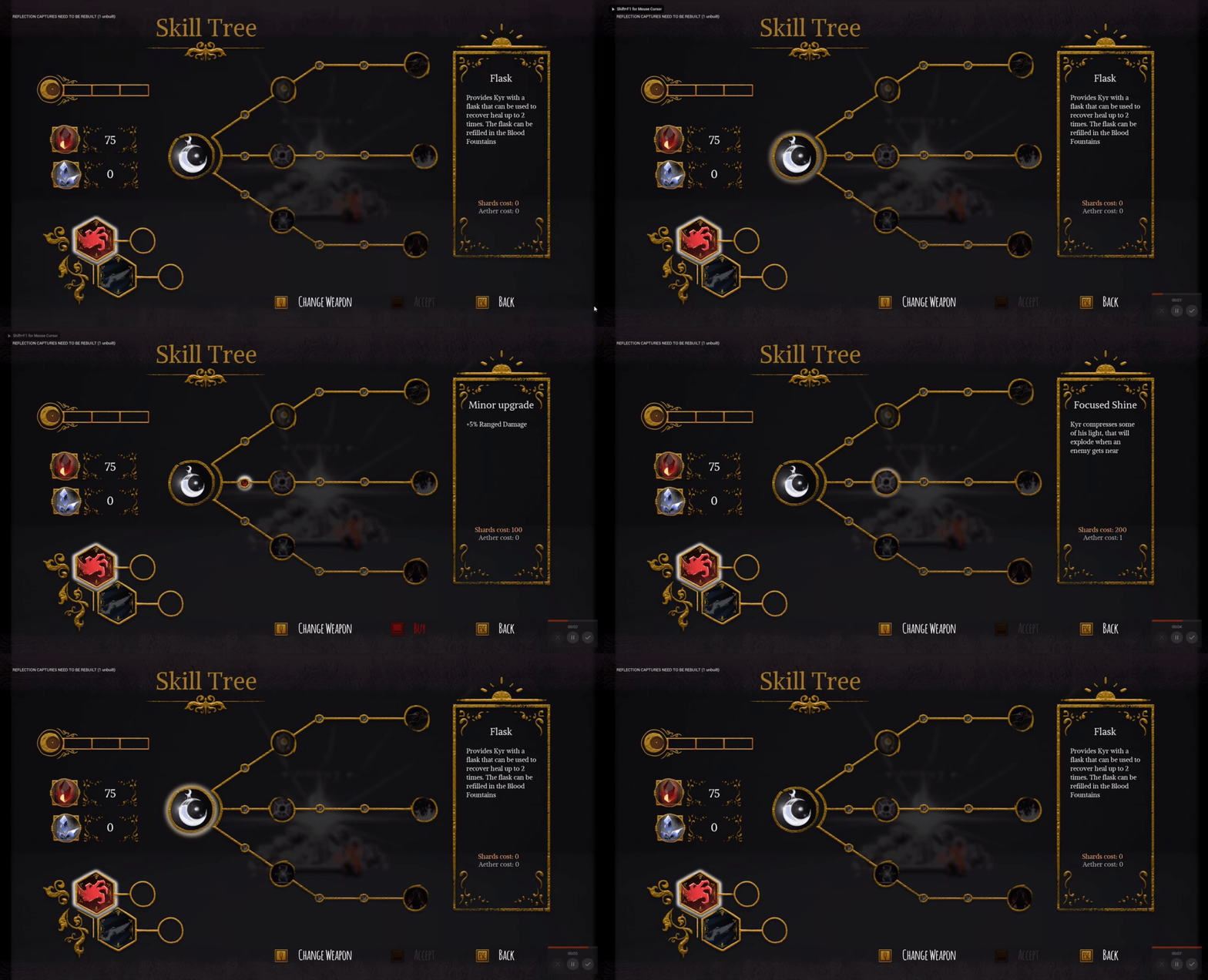
A skill tree designed to be an important element in the combat design of Shards of Hope. In this UI you can buy different upgrades and active skills for the main character managing the game economy. Also, you can switch the current weapon and make your own build equipping different active skills.
Skill Tree
My process

Conceptualization
and references
Look for references in others games where you can use a skill tree and design how many branches and kind of improvements will be.

Iteration
Once we defined three different ways to advance across the skill tree, we focused on the relationship of the branches, the relation ship of every weapon with its skill and the economy.

Implementation
Using Unreal Engine 4 and with the help of the programming and art department, I implemented the navigation, the economy logic and the art over the skill tree.

conceptualization

After the designers of the project did some research, we decided to define three different branches in order to personalize the experience of the player deppending on whether the player wants to be more aggressive, defensive or balanced during the combats.
We defined 3 kinds of curerncy to buy upgrades in the skill tree: general shards, life shards and aether to unlock new skills.
iteration

We did an iterative proccess with different forms for the tree. The number of skills would be six (with an extra skill for cure) evenly distributed in every branch. The objective was to create a symmetric grouping of nodes to represent an easy and equal progression of the tree depending on the player's playstyle .
The first skill would be free allowing use cures during the game. It will be necessary to supply the difficulty. Besides, the interaction with that skill shows the player how to unlock next nodes.
We redistribute and separate the different elements for easy reading: The skill tree, the different types of currency and the active weapon with its current skill equipped.
Finally, I developed the prototype and implemented the navigation through the tree. Also, I created an array for the descriptions and costs linked to the skills. After this proccess, every button would have an array with its own icons too.
With the help of an artist, we dressed everything and animated the buttons in order to improve the UX and the gamefeel.
implementation
The final result would have extra icons for blocked skills and some animations when you buy, unlock or equip new skills. All the implementations was with a great teamwork and supervision of programmers and artists of the team.
